One page.
It counts the days.
wait when's midterm 2
i think??
Scroll
Counted from today, . Same formulas as the template.
Notion template · one time, US$15
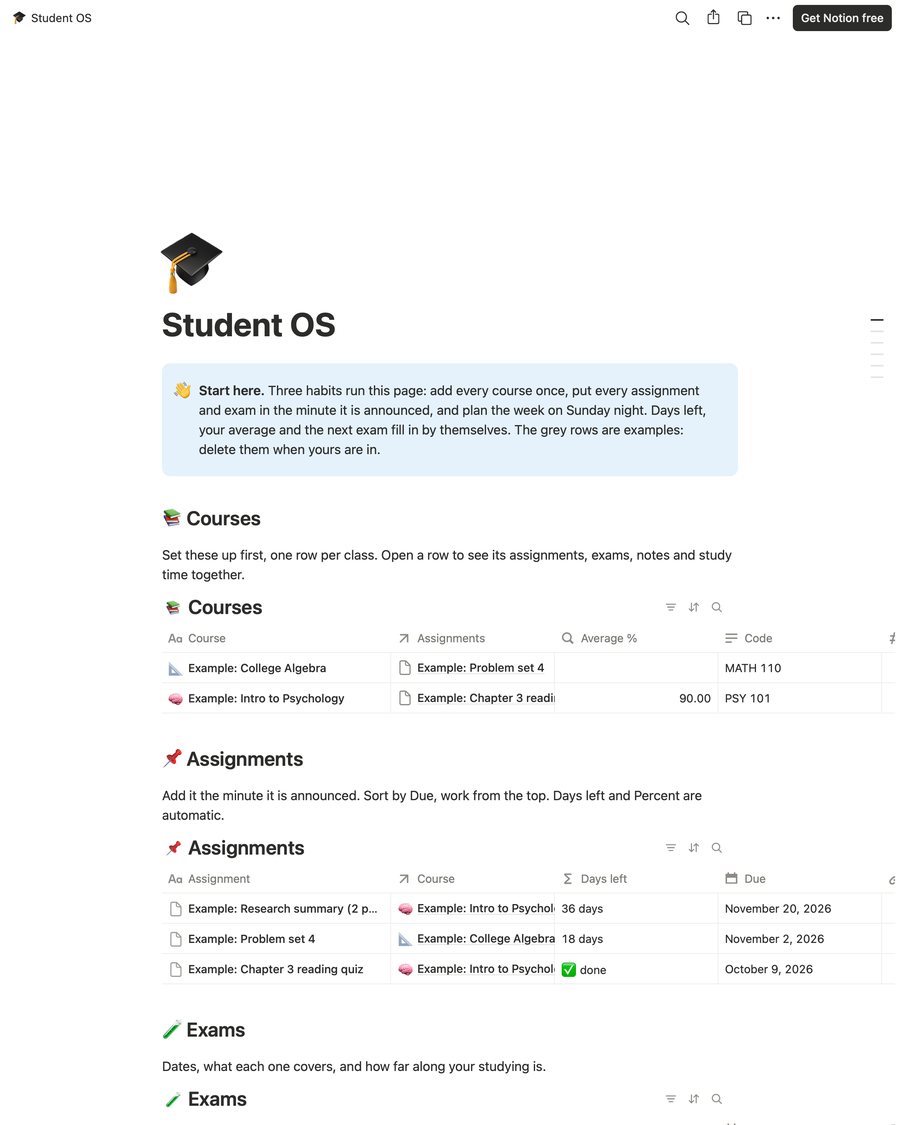
Six linked tables (Courses, Assignments, Exams, Notes, Study Log, Week Planner), formulas that show days left, your percent on each assignment and your average per class, and a setup guide. You duplicate it into your own free Notion account and it's yours.
Needs a free Notion account (web, Mac, Windows, iPhone, Android). No paid plan, no Notion AI. Check what you need first.
Type a class you're taking, then change the due date. This is the template's own logic: the course links to its assignments, and Days left recounts from today.
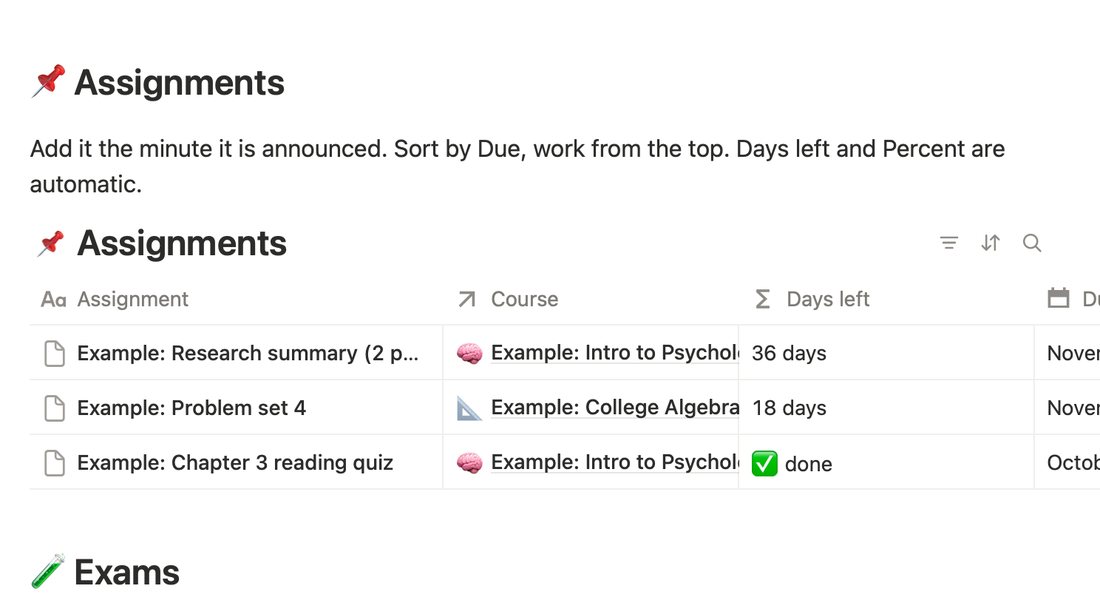
Days left: 🟡 inside three days, 🟠 today, 🔴 late, ✅ done. Nothing you type here leaves this page.
It lives in Notion. Please read this before the buy button.
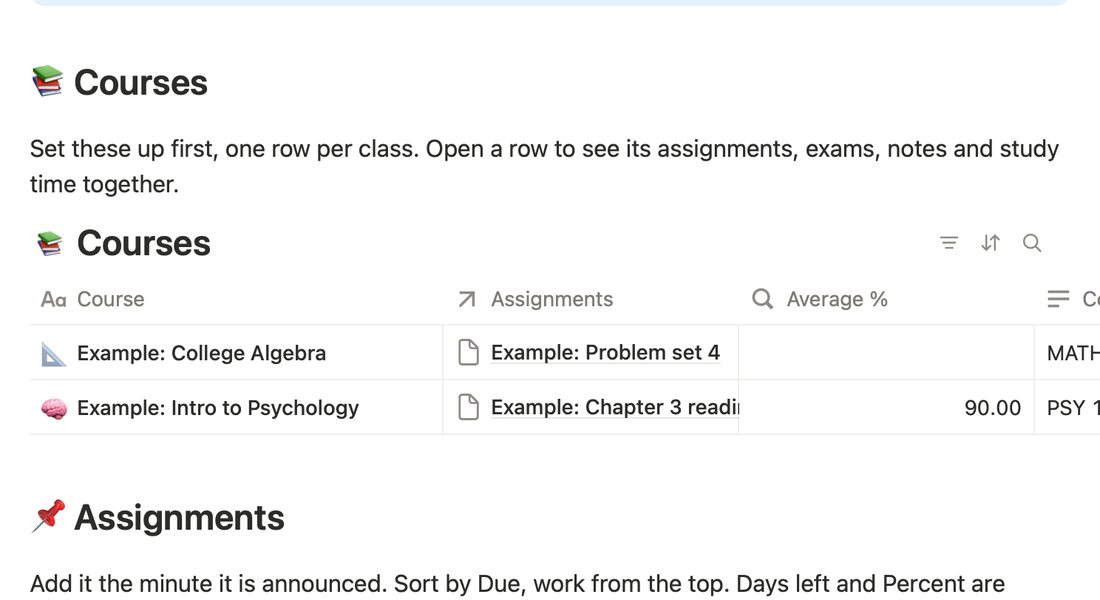
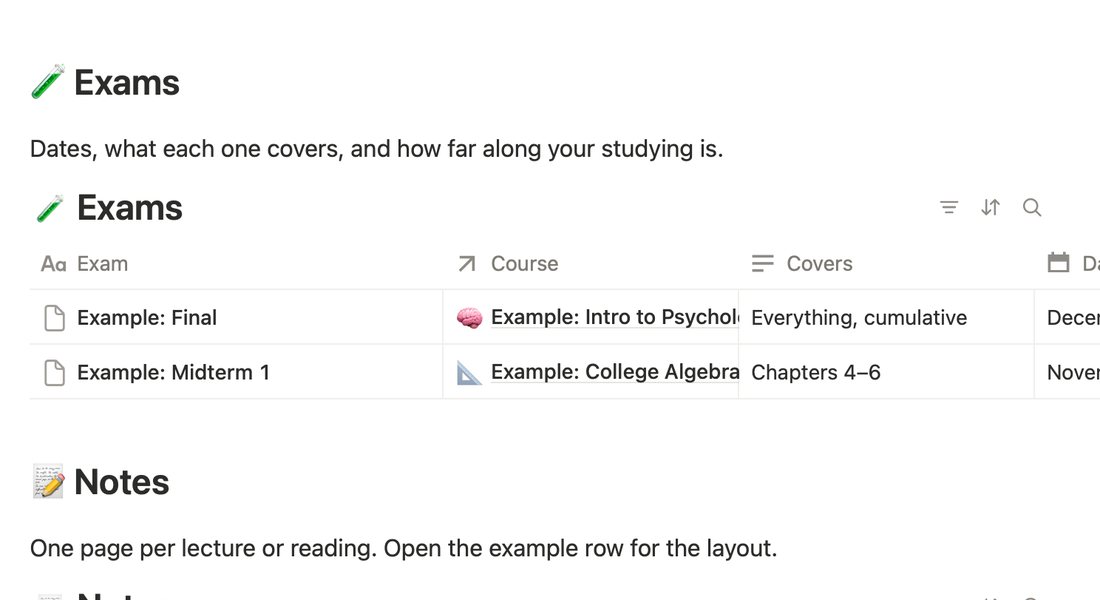
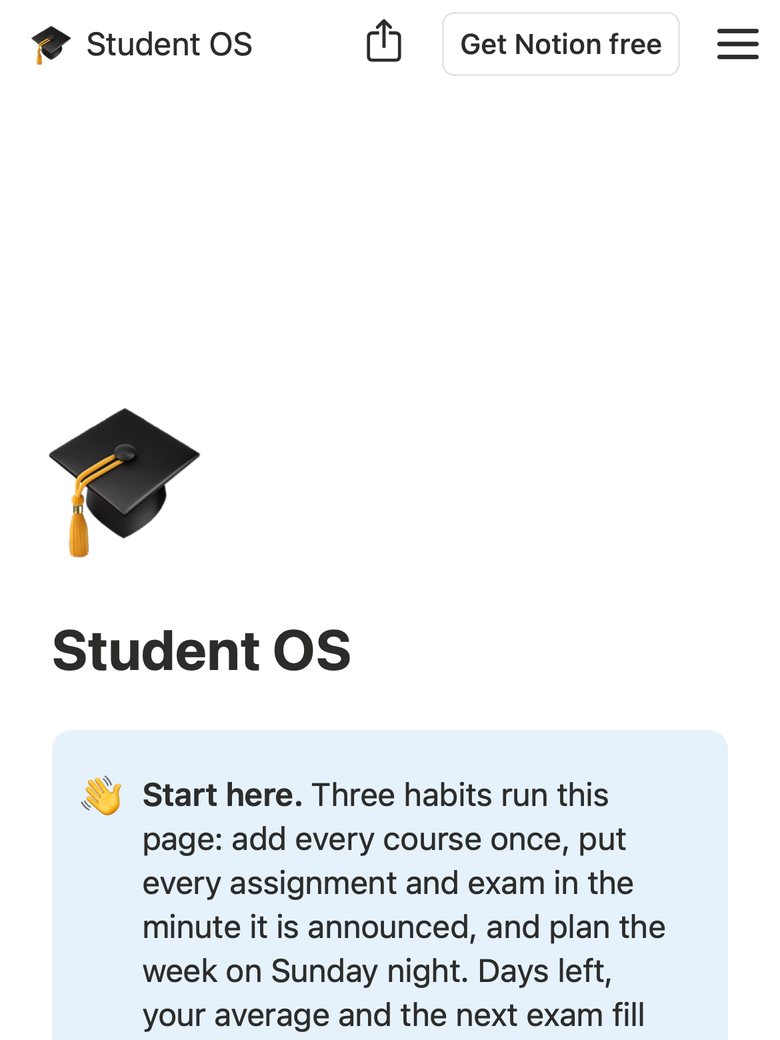
Every picture is a screenshot of the real template, taken on the page you'll duplicate. The rows you see are the example rows it ships with.
📚 Courses
📌 Assignments
🧪 Exams
📝 Notes
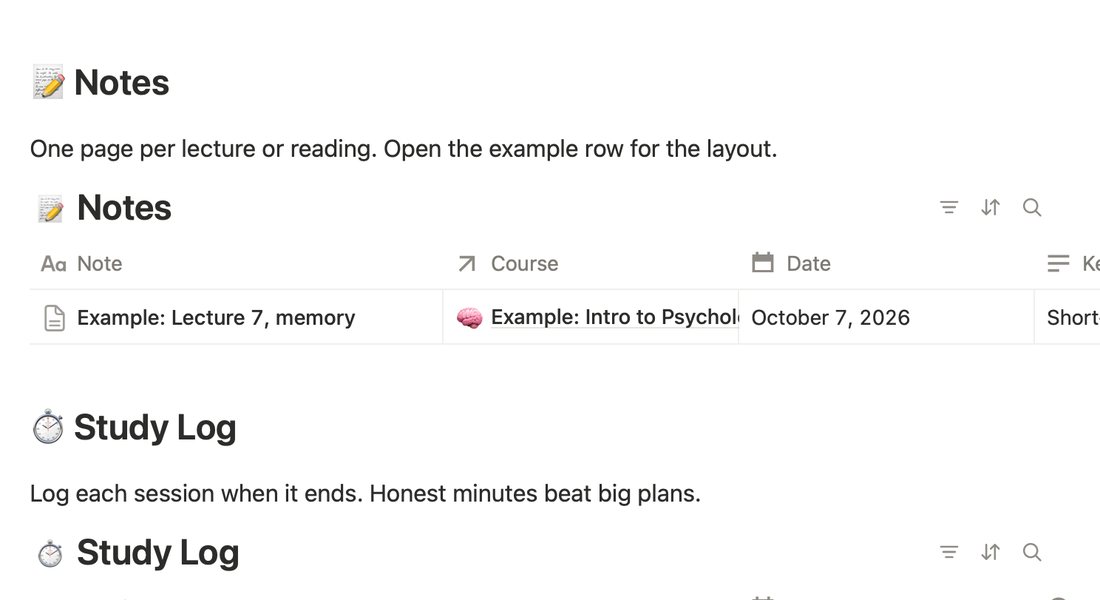
⏱️ Study Log
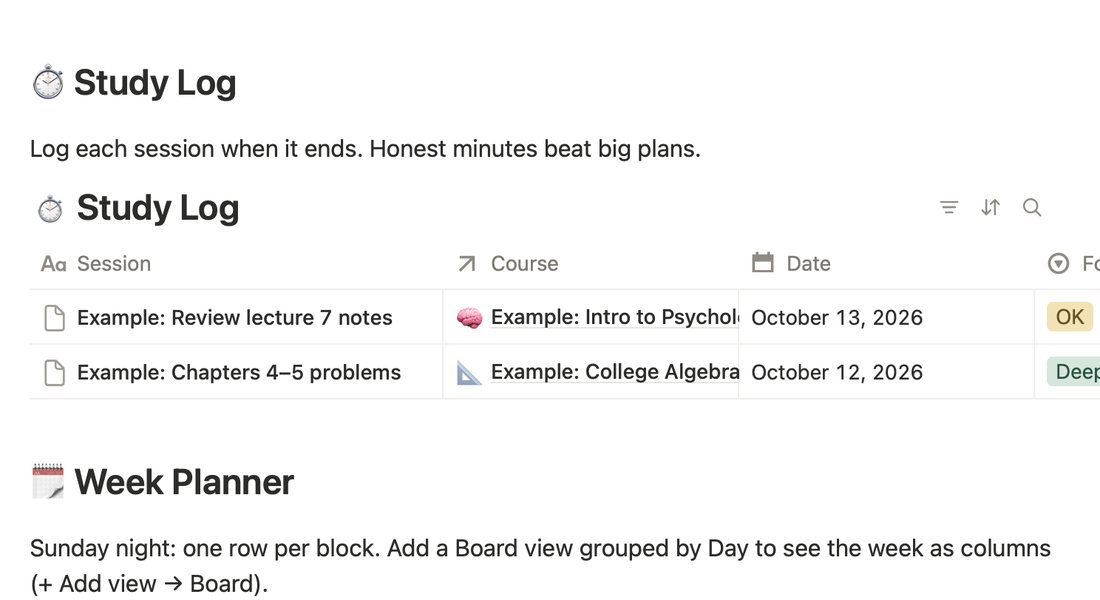
🗓️ Week Planner
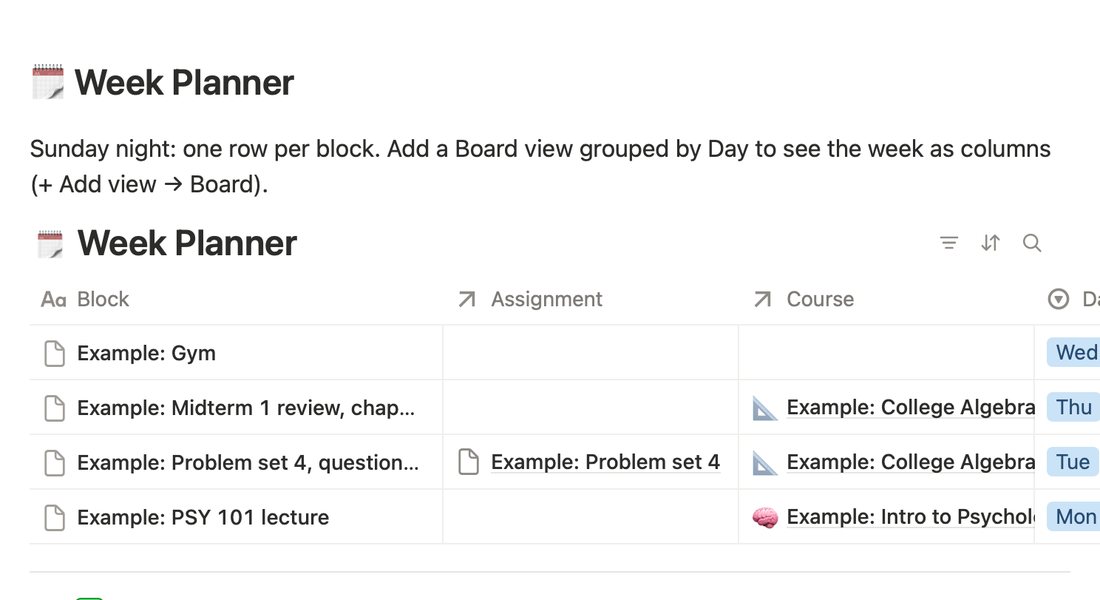
Swipe for all six →
Read the guide before you pay. It shows what you'll do in the first ten minutes, how the tables feed each other, and the three habits that keep it working. If it reads like something you'd actually use, the template is the same thing, built.
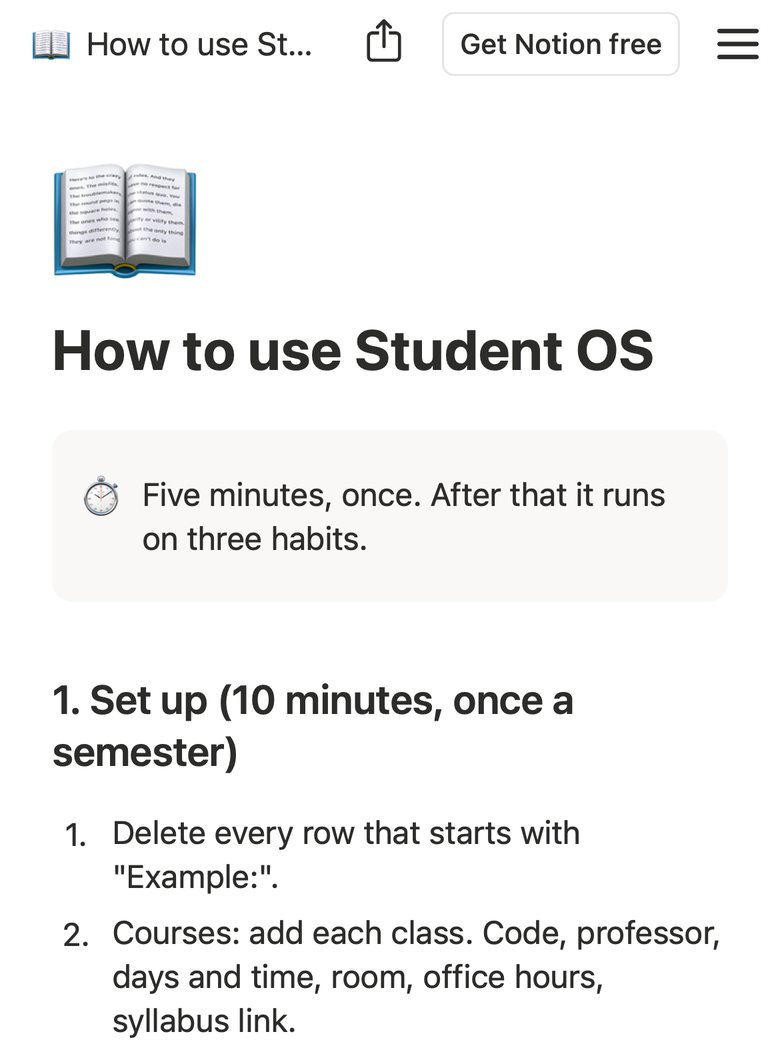
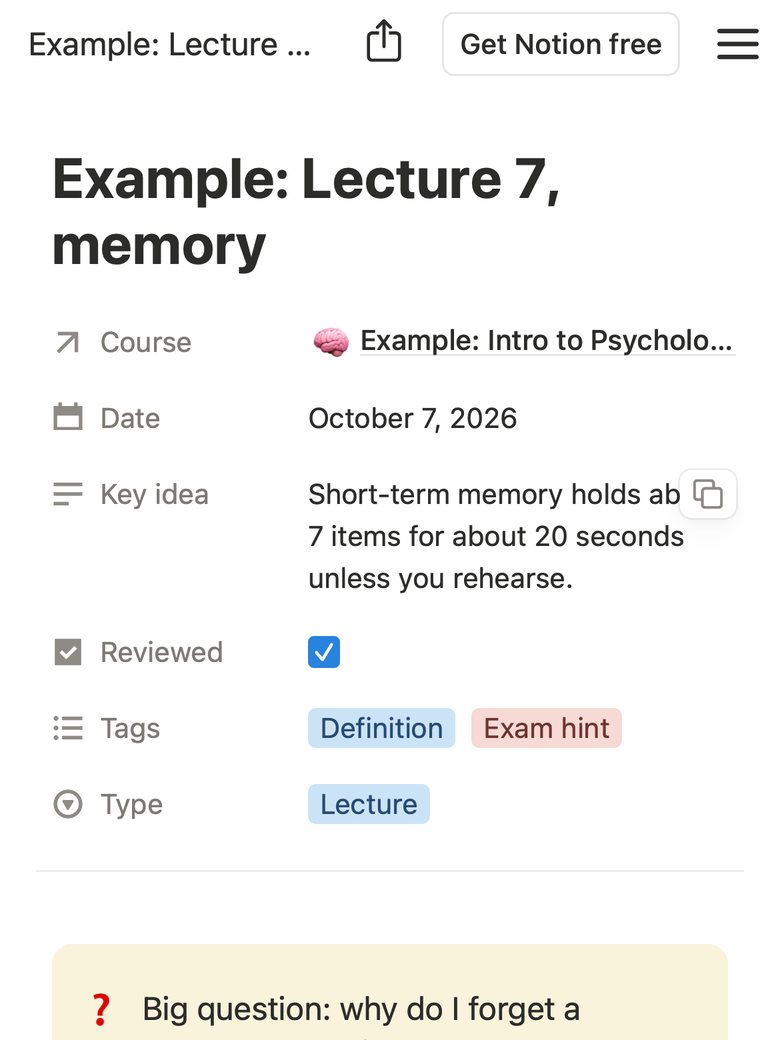
The zip is under 1 MB. The copy in your Notion is yours for good; it never depends on us. For your own studies, as many semesters as you like. Please don't resell or share the link.
US$15one time
Stripe takes the payment (card, Apple Pay, Google Pay). Right after, you land on your download page with the template link, and Stripe emails your receipt.
Get Student OS, US$15It's a template you get straight away, so all sales are final (terms). If Duplicate won't work for you, email support@waar.com.hk from the address you paid with and we'll get it into your workspace with you. Sold by W A A R LIMITED, Hong Kong.
No. It's built from tables, relations, rollups and formulas, which are all on the free plan. Nothing in it uses Notion AI.
Yes. Once it's in your workspace it's in the Notion app on iPhone and Android, same as on a computer. Adding an assignment from your phone in class is the whole point.
No. Average % is the plain average of your graded assignments' percents in that class, so it's a trend, not your official grade. Your syllabus says how the real grade is weighted; the Exams table has a Weight column so you can see what counts most.
Anything: rename tables, add or delete columns, add views, change colours. Only six column names feed the formulas (Due, Status, Score, Points on Assignments; Date on Exams; Minutes on Study Log). Rename those and the guide tells you how to fix the formula.
You're not signed in to Notion, or you're in the Notion app's browser view. Open the link in a normal browser, sign in, and Duplicate is top right. Still stuck? Email support@waar.com.hk from the address you paid with and we'll sort it with you.
They're a working copy built for this page: the same columns and the same Days left rules as the template, counted from today's date in your browser, with made-up rows. The pictures in "The six tables" are screenshots of the template itself.
No. The copy lives in your Notion workspace. We never see it and have no access to it.
W A A R LIMITED, a Hong Kong company (Business Registration 59466352). Not affiliated with Notion Labs, Inc. Terms, refunds and privacy.